





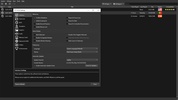

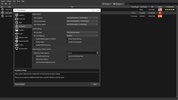
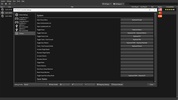

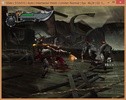


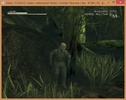
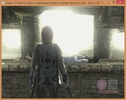

PCSX2 is a full-throttle desktop emulator for Sony PlayStation 2. It puts any PlayStation 2 game on your PC with the added appeal of getting to set up your graphics configurations as you see fit -- often far surpassing original visuals.
In order to set up, simply install the appropriate BIOS file for any regional PlayStation 2 -- that said, they're NOT loaded within this program; albeit a quick Google search should put all the files you need in your hands fairly easily. This program is very simple to use. After just a few quick steps you get to play any and all original PlayStation 2 games from your DVD drive. Otherwise, you can also opt into loading images directly from your hard drive which speeds things along slightly. Set up game controllers, video and audio parameters, plus easily opt to save your games on an external SIM card.
With over 1500 games available -- all of which run seamlessly -- you'll find this catalog is ripe with compatible titles. That said, there are a few games with the occasional hiccup, but all in all PCSX2 has proven a very successful PlayStation 2 rendition for PCs. Best of all is that you can actually attain a gaming experience that is visually far more compelling than its original thanks to the tweaks you can make on graphics to display them to your own liking; provided that your PC set up can handle it -- that is. Among visual options that you can toggle you'll find there are a wide array of possibilities: reset resolution, rendering systems, shaders, texture filters, and much more. All in all, PCSX2 is by far the finest PlayStation 2 emulator out there today, a welcome title for any diehard PS2 fan who's in the market for a way to migrate their retro games onto today's PCs.
Frequent questions
What are the requirements of PCSX2?
PCSX2 has very accessible minimum requirements. Any Intel or AMD CPU with AVX2 support will do, as well as any graphics card with DirectX 11 and OpenGL 4 support, and at least 8 GB of RAM. If you meet these requirements, you can play without any problems.
What is the best PS2 emulator?
Without a doubt, the best PS2 emulator is PCSX2. Since the release of version 1.0 in 2012, PCSX2 has become a true benchmark for Playstation 2 emulation.
How do I download the BIOS of PCSX2?
To download the BIOS of PCSX2, you'll have to look for them manually with an Internet search engine. The PCSX2 developers do not host Playstation 2 BIOS on their official website, so you'll have to find them on your own.
Where can I download ROMs for PCSX2?
There are many websites where you can find hundreds and hundreds of Playstation 2 ROMs fully compatible with PCSX2. These websites, however, have no affiliation with the PCSX2 developers.


 24 reviews















Comments
I'm unsure whether this is a virus or not because my antivirus identified a virus. But I'm not on a secure site?
Very good, I recommend it
It did not work
The best PlayStation 2 emulator.
I can't open the application. I run it as administrator, but it doesn't work. I can click on it 100 times, but it won't open.
Good